
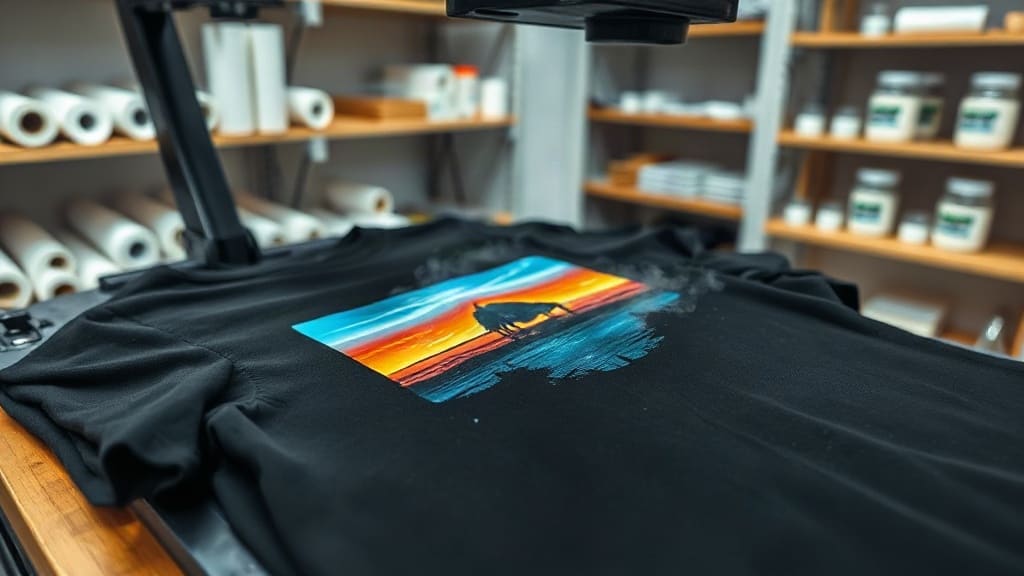
DTF transfers have revolutionized the custom printing industry, offering a versatile and cost-effective way to create vibrant designs on various fabrics. Whether you're a hobbyist or a business owner, understanding how DTF works can open up new possibilities for your projects. In this comprehensive guide, we'll dive deep into the process, materials, and best practices to help you achieve professional-quality results.
What Are DTF Transfers?
DTF stands for Direct to Film, a printing method where a design is printed onto a special PET film, coated with adhesive powder, and then heat-pressed onto a garment or other substrate. Unlike traditional screen printing or heat transfer vinyl, DTF transfers allow for full-color, high-detail prints without the need for separate layers or weeding.
How Does the DTF Process Work?
The DTF process involves several key steps:
- Printing: A DTF printer (often an inkjet printer modified for DTF) prints your design in reverse onto a PET film using specialized CMYK plus white ink.
- Powder Application: While the ink is still wet, an adhesive powder is applied evenly over the printed area. This powder activates during heat pressing to bond the design to the fabric.
- Curing: The film is passed through a curing oven or heat tunnel to melt the powder and solidify the adhesive.
- Transfer: The cured transfer is placed on the garment, and a heat press applies pressure and heat (usually around 320°F to 170°C) for a specific time, typically 10-15 seconds.
- Peeling: After pressing, the film is peeled away, leaving the design permanently bonded to the fabric.
One of the biggest advantages of DTF transfers is that they can be applied to almost any fabric type, including cotton, polyester, blends, and even leather and nylon, with excellent results.
Benefits of Using DTF Transfers
DTF has gained immense popularity for good reason. Here are some of the standout benefits:
- Vibrant Colors: The white ink layer ensures that colors pop even on dark fabrics.
- Soft Hand Feel: Unlike thick vinyl, DTF prints have a soft texture that doesn't crack or peel easily.
- High Detail: DTF can reproduce intricate designs with fine details, gradients, and photographic images.
- Versatility: Works on a wide range of fabrics, making it a one-stop solution for many printing needs.
- Cost-Effective: For small to medium runs, DTF is more economical than screen printing, as there are no setup fees or minimum quantities.
- Easy to Use: Once you have the equipment, the process is straightforward and can be learned quickly.
DTF Transfers vs. Other Printing Methods
To truly appreciate DTF, it's helpful to compare it with other common methods.
DTF vs. Direct to Garment (DTG)
DTG printing directly on the shirt is fantastic for high-quality prints, but it requires a pre-treatment for dark garments and can be slow for bulk orders. DTF transfers, on the other hand, are faster for production and can be stored for later use, making them ideal for on-demand printing.
DTF vs. Screen Printing
Screen printing is unbeatable for large quantities, but it involves significant setup time and cost. DTF offers a more flexible approach, especially for designs with many colors or gradients, without the need for screens.
DTF vs. Heat Transfer Vinyl (HTV)
HTV is great for simple designs with solid colors, but it requires weeding and is limited in color options. DTF eliminates weeding and allows full-color, complex designs, making it a superior choice for many applications.
Materials Needed for DTF Transfers
To start with DTF, you'll need the following:
- DTF Printer: Usually an Epson or Ricoh inkjet printer with a DTF conversion kit, or a dedicated DTF printer.
- DTF Inks: CMYK plus white ink, specially formulated for DTF.
- PET Film: High-quality film designed to hold the ink and release smoothly.
- Hot Melt Adhesive Powder: Finely ground powder that activates under heat.
- Curing Oven or Heat Gun: To melt the powder into the ink.
- Heat Press: A reliable heat press with accurate temperature and pressure control.
Investing in quality materials is crucial for achieving durable and vibrant DTF transfers.
Step-by-Step Guide to Making DTF Transfers
If you're new to DTF, here's a step-by-step process to get you started:
- Design Creation: Create or prepare your artwork in a graphic design software. Ensure it's in high resolution (at least 300 DPI) and with appropriate color management.
- Printing: Load the PET film into the printer and print your design in mirror mode. The white ink will lay down first, then the colors.
- Adhesive Powder: While the ink is still wet, sprinkle the adhesive powder generously over the printed area. Make sure it's evenly coated.
- Drying and Curing: Shake off excess powder, then heat the film using a curing oven or a heat gun until the powder melts into the ink.
- Pre-Press Garment: Pre-press the garment for a few seconds to remove moisture and wrinkles.
- Transfer: Place the film with the design facing down on the garment. Cover with a protective sheet (like Teflon or parchment paper).
- Heat Press: Apply heat and pressure according to the recommended settings for your specific film and powder. Typical settings are 320°F (160°C) for 15 seconds at medium pressure.
- Peel: After pressing, wait a few seconds or follow the recommended peel time (hot or cold peel), then carefully peel the film away.
Always test your settings on a scrap piece of fabric before proceeding with the final product.
Tips for Perfect DTF Transfers
To ensure your DTF transfers come out perfectly every time, keep these tips in mind:
- Use Quality Materials: Cheap films, inks, or powders can lead to poor adhesion or color issues.
- Control Humidity: High humidity can affect powder adhesion. Store materials in a dry environment.
- Proper Curing: Inadequate curing results in transfers that peel off. Ensure the powder melts completely.
- Press with Even Pressure: Uneven pressure can cause parts of the design to not adhere fully.
- Test, Test, Test: Always run a test print to check color, alignment, and adhesion before a production run.
- Maintain Your Printer: Regular cleaning and maintenance of your DTF printer prevent nozzle clogs and ensure consistent quality.
Common Problems and Solutions
Even experienced printers encounter issues. Here are some common problems and how to fix them:
Design Cracking or Peeling
This is often due to insufficient curing or using low-quality powder. Ensure the powder is fully melted and increase curing time if needed.
Colors Looking Washed Out
This may be a result of too high a press temperature or time, which can degrade the ink. Check your settings and lower them if necessary.
Poor Adhesion to Fabric
Make sure the fabric is clean and dry. Also, verify that the pressure and temperature are adequate for that specific material.
Applications of DTF Transfers
DTF is incredibly versatile and can be used for:
- Custom T-Shirts and Apparel
- Sportswear and Uniforms
- Bags and Accessories
- Home Textiles like Cushions and Tote Bags
- Promotional Products
Because DTF can adhere to many materials, it's a favorite among businesses that offer personalization services.
How to Store DTF Transfers
One of the great things about DTF is that you can print transfers in advance and store them. When storing, keep them in a cool, dry place away from direct sunlight. It's best to use them within a few months for optimal quality.
Frequently Asked Questions
Can I use DTF transfers on stretchy fabrics?
Yes, DTF transfers are flexible and can withstand stretching without cracking, making them ideal for sportswear and leggings.
How long do DTF transfers last?
With proper application and care, DTF transfers can last for many washes. It's important to follow care instructions like washing in cold water and avoiding harsh chemicals.
Do DTF transfers work on dark fabrics?
Absolutely. The white ink base ensures that colors remain vibrant even on dark backgrounds.
What is the difference between hot and cold peel DTF?
Hot peel means you remove the film immediately after pressing, which gives a glossy finish. Cold peel requires waiting for the transfer to cool, resulting in a matte finish. The choice depends on the desired look and the specific film you're using.
Can I use a regular inkjet printer for DTF?
You need a printer that can handle white ink and is compatible with DTF inks. Many standard inkjet printers can be converted, but it's often easier to invest in a dedicated DTF printer.
Conclusion
DTF transfers offer an exciting opportunity for anyone looking to create custom apparel with professional results. From its versatility and durability to its cost-effectiveness, DTF has become a go-to method for both small businesses and individual crafters. By following the steps and tips outlined in this guide, you'll be well on your way to mastering this innovative printing technique. So, ready to bring your designs to life? Start experimenting with DTF transfers today and see the difference they can make!