
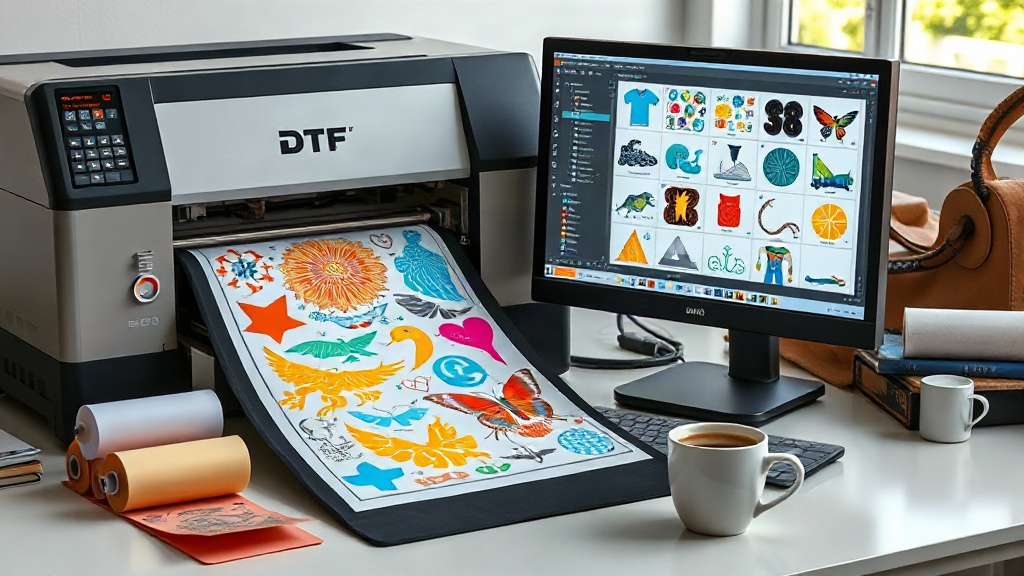
If you're in the custom apparel business, you've likely heard of DTF printing. It's a game-changer for producing vibrant, durable transfers on demand. But as your order volume grows, manually arranging designs on transfer film becomes a bottleneck. Enter the DTF gangsheet builder—a tool that automates the layout of multiple designs onto a single sheet, maximizing efficiency and minimizing waste. In this guide, we'll explore what a gangsheet builder is, why it's essential, and how to use it like a pro.
What is a DTF Gangsheet Builder?
A DTF gangsheet builder is software that helps you arrange multiple DTF transfers onto a single sheet of film. Instead of printing each design individually, you combine them into one large sheet (a gangsheet) that can be printed in one pass. This saves time, reduces material waste, and lowers production costs. The builder automatically nests designs to use space efficiently, and often includes features like rotation, spacing adjustment, and quantity optimization.
Why Use a DTF Gangsheet Builder?
Whether you're a small shop or a large operation, a gangsheet builder offers several key benefits:
- Time savings: Manually arranging designs can take hours; a builder does it in minutes.
- Cost reduction: By maximizing film usage, you spend less on materials.
- Consistency: Automated layouts ensure uniform spacing and alignment, reducing errors.
- Scalability: Easily handle large orders with hundreds of designs.
In short, it's a must-have for anyone serious about DTF printing.
Key Features to Look for in a DTF Gangsheet Builder
Not all gangsheet builders are created equal. Here are the features that matter most:
1. Automatic Nesting and Optimization
The best tools use algorithms to arrange designs for minimal waste. Look for options that allow you to set spacing, margins, and rotation angles.
2. Support for Multiple File Formats
You'll likely work with PNG, PDF, and other formats. Ensure the builder accepts your files without conversion hassles.
3. Quantity Management
If you need multiple copies of a design, the builder should let you specify quantities and automatically place them.
4. Custom Sheet Sizes
DTF film comes in various widths (e.g., 13", 24", 48"). A good builder lets you define custom sheet dimensions to match your printer.
5. Preview and Editing
Before printing, you should be able to preview the layout and make manual adjustments if needed.
How to Choose the Right DTF Gangsheet Builder
With several options on the market, consider these factors:
- Ease of use: A steep learning curve wastes time. Look for intuitive interfaces.
- Integration: Does it work with your existing RIP software or printer?
- Price: Some are free, others are subscription-based. Evaluate based on your volume.
- Customer support: Reliable support is crucial when you're on a deadline.
At DTFPrintKit, we offer a powerful DTF gangsheet builder that's both user-friendly and feature-rich. It's designed to streamline your workflow from start to finish.
Step-by-Step: Using a DTF Gangsheet Builder
Here's a typical workflow:
- Upload your designs: Import your artwork files into the builder.
- Set your sheet size: Choose the width and length based on your film and printer.
- Add quantities: Specify how many of each design you need.
- Auto-arrange: Let the builder nest the designs optimally.
- Review and adjust: Check the layout, tweak spacing or rotation if necessary.
- Export and print: Save the gangsheet as a high-resolution file and send it to your DTF printer.
With practice, this process takes just a few minutes.
Best Practices for Creating Efficient Gangsheets
To get the most out of your builder, follow these tips:
- Group similar sizes: Place designs of similar dimensions together to minimize gaps.
- Use rotation: Rotating designs can fill awkward spaces.
- Mind the gaps: Leave enough space between designs for cutting; typically 0.1-0.2 inches.
- Test with a small sheet: Before committing to a large run, print a small test to check colors and alignment.
- Keep a library: Save frequently used designs for quick access in future gangsheets.
Common Mistakes to Avoid
Even with a builder, users sometimes slip up. Avoid these pitfalls:
- Overcrowding: Too little spacing can cause cutting errors.
- Ignoring DPI: Ensure all designs are at least 300 DPI for crisp prints.
- Forgetting bleed: Add a small bleed to avoid white edges after cutting.
- Not updating software: Builders improve over time; keep yours current.
Frequently Asked Questions
What is a DTF gangsheet?
A DTF gangsheet is a single sheet of transfer film containing multiple designs arranged closely together. It allows you to print many transfers in one pass, saving time and materials.
Can I use a DTF gangsheet builder for other printing methods?
While designed for DTF, some builders can also be used for DTG or screen printing layouts. However, DTF-specific features like white ink management make them ideal for DTF.
How much does a DTF gangsheet builder cost?
Prices vary. Some free tools exist, but they often lack advanced features. Professional builders like the one at DTFPrintKit offer subscription plans with robust functionality.
Do I need special software to create gangsheets?
Not necessarily. Many DTF printers come with basic software, but dedicated gangsheet builders offer more efficiency and customization.
What file format should I use for DTF printing?
PNG with transparent background is standard, but PDF and TIFF are also supported. Ensure your files are high resolution (300 DPI).
Conclusion
Incorporating a DTF gangsheet builder into your workflow is one of the smartest moves you can make as a DTF printer. It saves time, cuts costs, and boosts productivity. Whether you're just starting out or scaling up, the right tool can make all the difference. Visit DTFPrintKit to explore our gangsheet builder and take your DTF printing to the next level.