
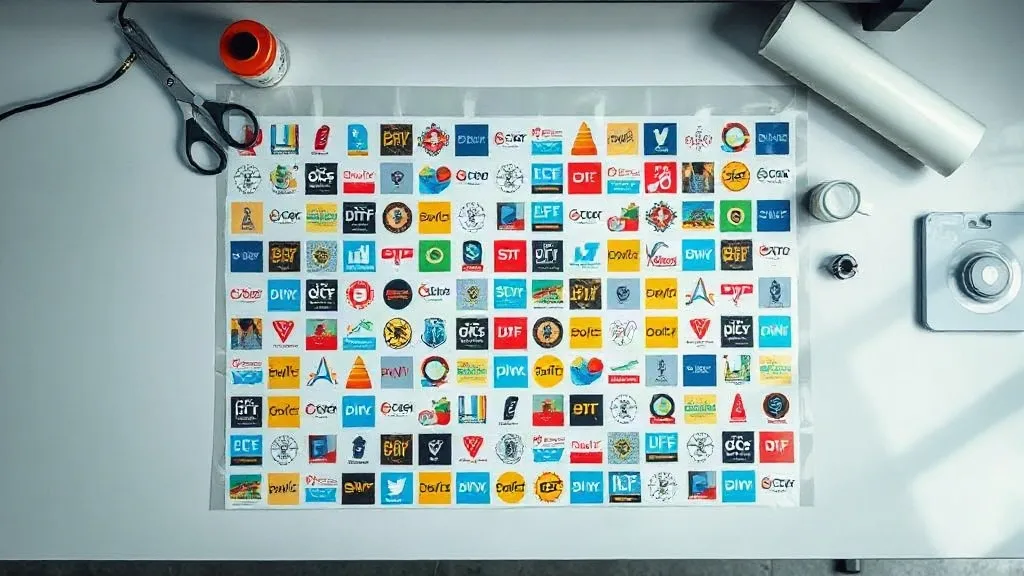
Most print shops lose money on DTF not because of ink prices or press downtime, but because of empty film. Every unplanned centimeter between designs is film you paid for and threw away. A DTF Gangsheet solves that problem by packing multiple designs onto a single sheet, yet the quality of the packing is what decides whether the format actually saves you money. This guide walks through the layout decisions that separate a gangsheet that earns its keep from one that quietly drains your margins.
Why the Gangsheet Format Rewards Good Planning
DTF printing has a fixed cost structure per linear meter of film. The printer runs at a set speed, the powder application covers the whole sheet, and the curing step treats the entire width at once. Whether that meter holds one large back print or fifteen small left-chest logos, the machine time is nearly identical. That is the entire economic argument for ganging designs together: you amortize a fixed cost across more sellable output.
What changes with layout quality is the yield. A sheet packed with careless gaps might deliver 60 percent usable area. A sheet planned with deliberate nesting can push past 85 percent without any change to printer settings. On a busy week, that difference is not abstract. It means fewer rolls ordered, fewer meters run, and a lower cost per transfer that you can either bank as profit or use to win price-sensitive clients.
There is a second, less obvious benefit. Tight, logical layouts are faster to trim. When designs sit in predictable rows with consistent gutters, your cutting hand finds a rhythm. When they are scattered at odd angles with random spacing, every cut becomes a small decision, and small decisions add minutes to every sheet.
The Layout Rules That Actually Matter
Before opening your rip software, settle these parameters. They form the constraints every design must respect, and getting them right up front prevents the rework that eats into production time.
Minimum spacing between designs
Transfers need a clean border of powder and adhesive around every edge. If two designs sit too close, the cut line becomes ambiguous and you risk nicking the artwork next door. A practical minimum is 3 to 5 millimeters of clear space, and slightly more for designs with fine detail near the edge. Going tighter to gain a few extra units usually backfires during trimming.
Consistent gutters beat clever angles
Rotating a design 30 degrees might recover a sliver of film, but it makes every subsequent cut slower and increases the chance of an off-square trim. Unless you are nesting a genuinely awkward shape, keep designs orthogonal. Straight rows and columns are boring, and boring is profitable at volume.
Group by size, then fill the gaps
The reliable method is to place your largest items first along one edge, then work down in size. Small items such as sleeve logos, neck tags, and pocket prints are the perfect filler for leftover strips. A row of six left-chest logos across the top margin of a sheet costs almost nothing in extra film and can be sold at full price.
Building a Repeatable Nesting Workflow
Ad hoc layouts work when you print two sheets a week. At any real volume, you need a repeatable process so that anyone on the team can produce a comparable sheet.
- Collect the day's orders and sort designs by height, tallest first.
- Set your film width and confirm the printable area, minus a safety margin at each edge.
- Place the tallest designs as a full row at the top, aligned to one side.
- Fill the remaining horizontal space in that row with the tallest item that fits.
- Move to the next row and repeat, always filling leftover width rather than starting a fresh band.
- Use small designs to plug vertical gaps that are too short for anything else.
- Review the sheet at 100 percent zoom for edge clearance before sending it to print.
This greedy, top-down approach is not mathematically perfect, but it is fast, teachable, and gets you most of the available savings. Save the sophisticated nesting for large runs where a few extra percent genuinely matters.
A worked example
Suppose you are running a 58 centimeter wide film and have orders for four large back prints, twelve left-chest logos, and six sleeve designs. Place the four back prints across the top, allowing roughly 14 centimeters each plus gutters. That leaves a band beneath them roughly 20 centimeters tall. The twelve chest logos fit in two rows of six within that band, and the six sleeve designs fill the strip that remains at the bottom. Nothing is wasted, and the whole sheet trims in straight lines.
Matching Layout Density to Your Press and Powder Station
Dense layouts are only efficient if the rest of your workflow keeps up. A sheet packed to 90 percent coverage applies more adhesive and powder per meter, which means the powder station needs to shake and recycle properly or you will see speckling and inconsistent hand feel. If your shaker is small, a slightly looser layout with a bit more breathing room may actually produce better finished transfers.
The same logic applies to curing. Very dense sheets hold more heat and can need a small adjustment to dwell time. Run a test with your densest realistic layout before committing a full production day to it. Ten minutes of testing protects an entire roll.
Common Mistakes That Erase the Savings
- Ignoring the cut line entirely. Designs that touch the sheet edge cannot be trimmed cleanly, so that sliver of film is wasted anyway.
- Mixing incompatible jobs. Putting a delicate fine-line design next to a heavy solid block can cause uneven powder pickup across the sheet.
- Overfilling to the last millimeter. A sheet with no margin is harder to load and easier to misalign, and misalignment wastes the whole run.
- Never measuring yield. If you do not track usable area per meter, you cannot tell whether your layouts are improving.
Tracking is simple. Once a week, note the total film meters consumed and the number of sellable transfers produced. Divide one by the other and you have a cost figure you can compare against last month. When the number moves in the wrong direction, the layout is usually the first place to look.
When a Gangsheet Is the Wrong Choice
Ganging is not universal. If a client orders fifty identical shirts, a dedicated single-design sheet with tight repeat spacing will always beat a mixed layout, because you can cut on fixed intervals and skip per-item trimming entirely. Likewise, rush jobs with a single urgent design should not wait for a sheet to fill up. The gangsheet format earns its place on the mixed, small-to-medium order flow that most custom shops actually live on.
Treat layout planning as a production skill rather than an afterthought. The shops that treat film as a budget line item, measure yield weekly, and teach a consistent nesting method to every operator are the ones whose transfer pricing stays competitive without squeezing margins. The savings are not dramatic on any single sheet, but they compound across every meter you run.
Frequently Asked Questions
How much space should I leave between designs on a DTF gangsheet?
Three to five millimeters of clear film is a safe working minimum for most artwork. Increase it to around six or seven millimeters when a design has fine detail or thin strokes near the edge, since those areas are hardest to trim without damage.
Can I mix different garment sizes on one gangsheet?
Yes, and it is one of the best uses of the format. Group designs by physical print size rather than by order or client, then fill gaps with smaller items. Just keep a clear record of which design belongs to which order so packing stays accurate.
Does a denser gangsheet always lower my cost per transfer?
Usually, but only if your powder and curing stations handle the added coverage. Very dense sheets can produce uneven adhesive pickup on underpowered equipment, which creates rejects that cost more than the film you saved. Test your densest realistic layout first.
Should I rotate designs to fit more onto the sheet?
Only for genuinely irregular shapes where rotation recovers meaningful area. For standard rectangles, rotation slows trimming and raises the risk of crooked cuts, which outweighs the small film savings in almost every case.
How do I know if my gangsheet layouts are getting better?
Track film meters used against sellable transfers produced, and review the ratio weekly. A steadily improving number means your nesting is working. If it stalls, look at how much empty space remains on a typical sheet before changing anything else in your process.